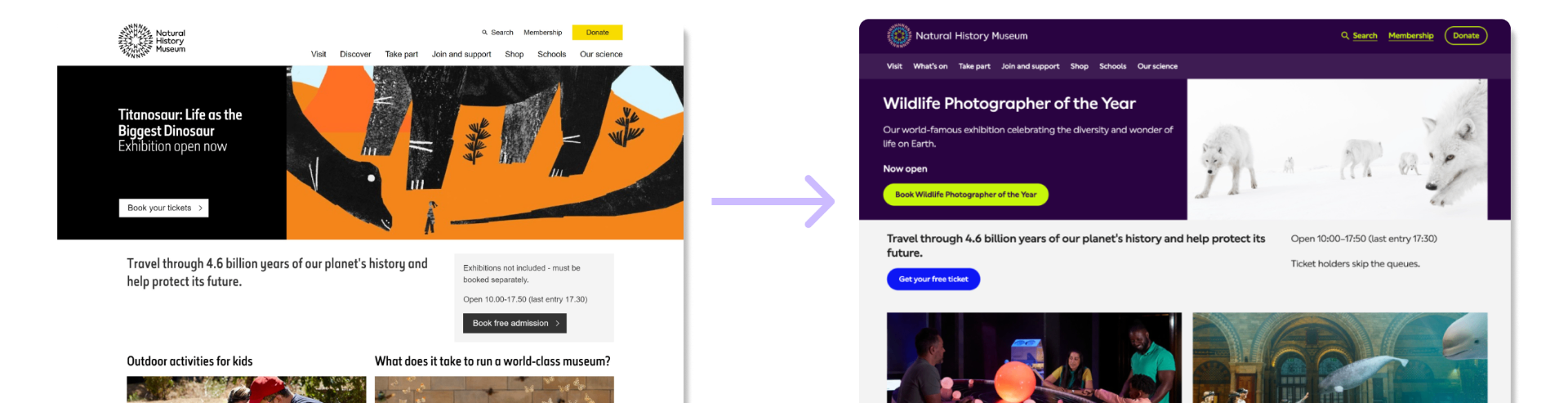
Rebranding the Natural History Museum website & building their first design system
 Team leadDesign systemsAccessibility
Challenge
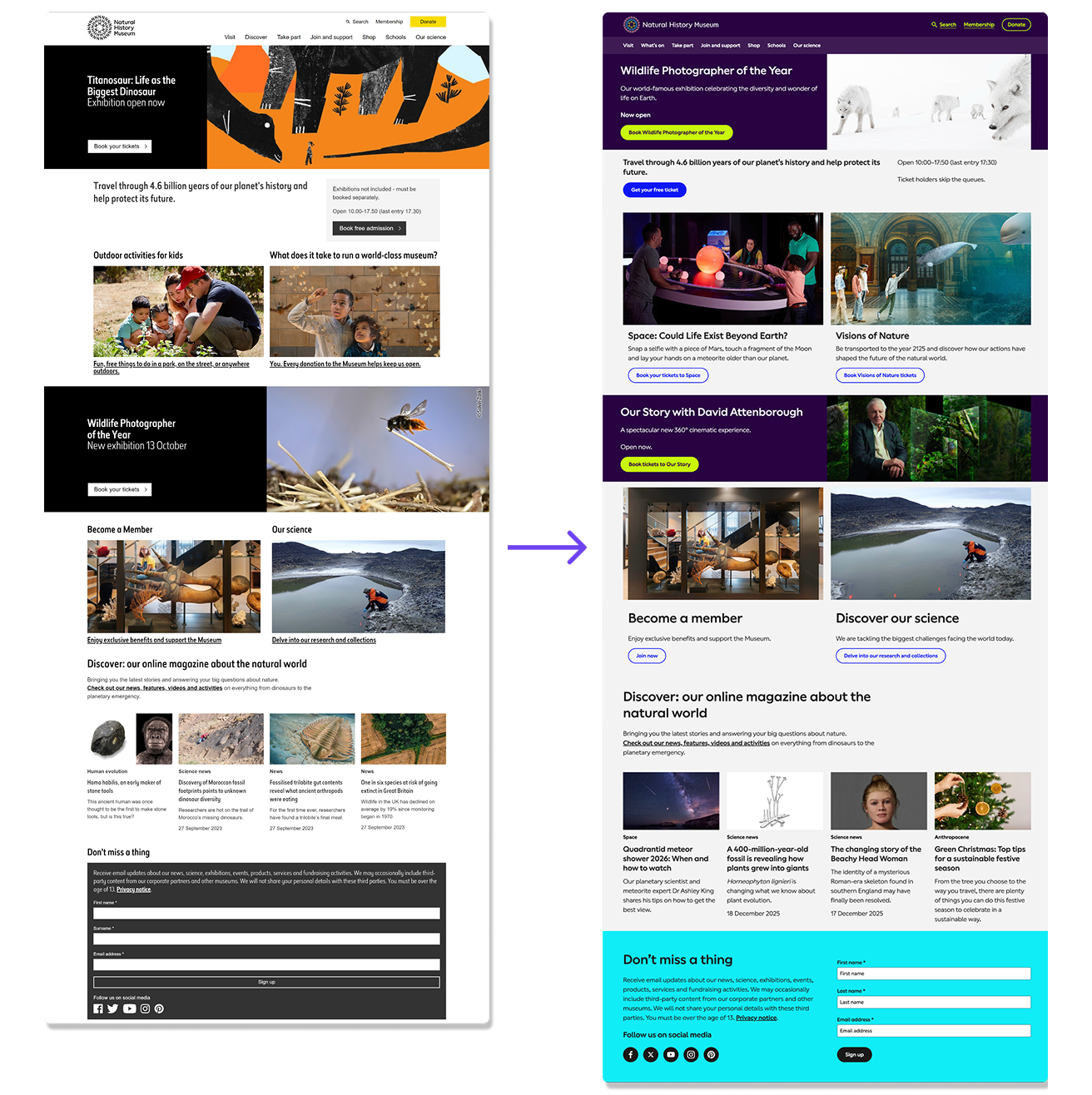
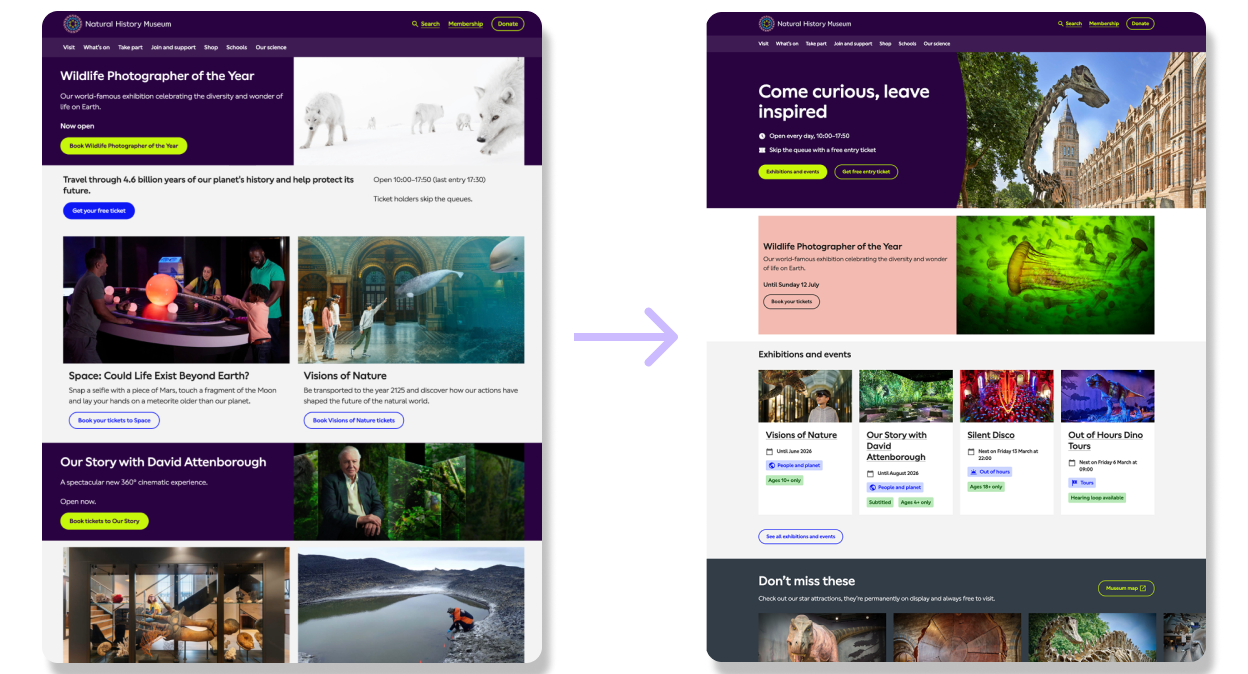
Pentagram had just rebranded the Natural History Museum.
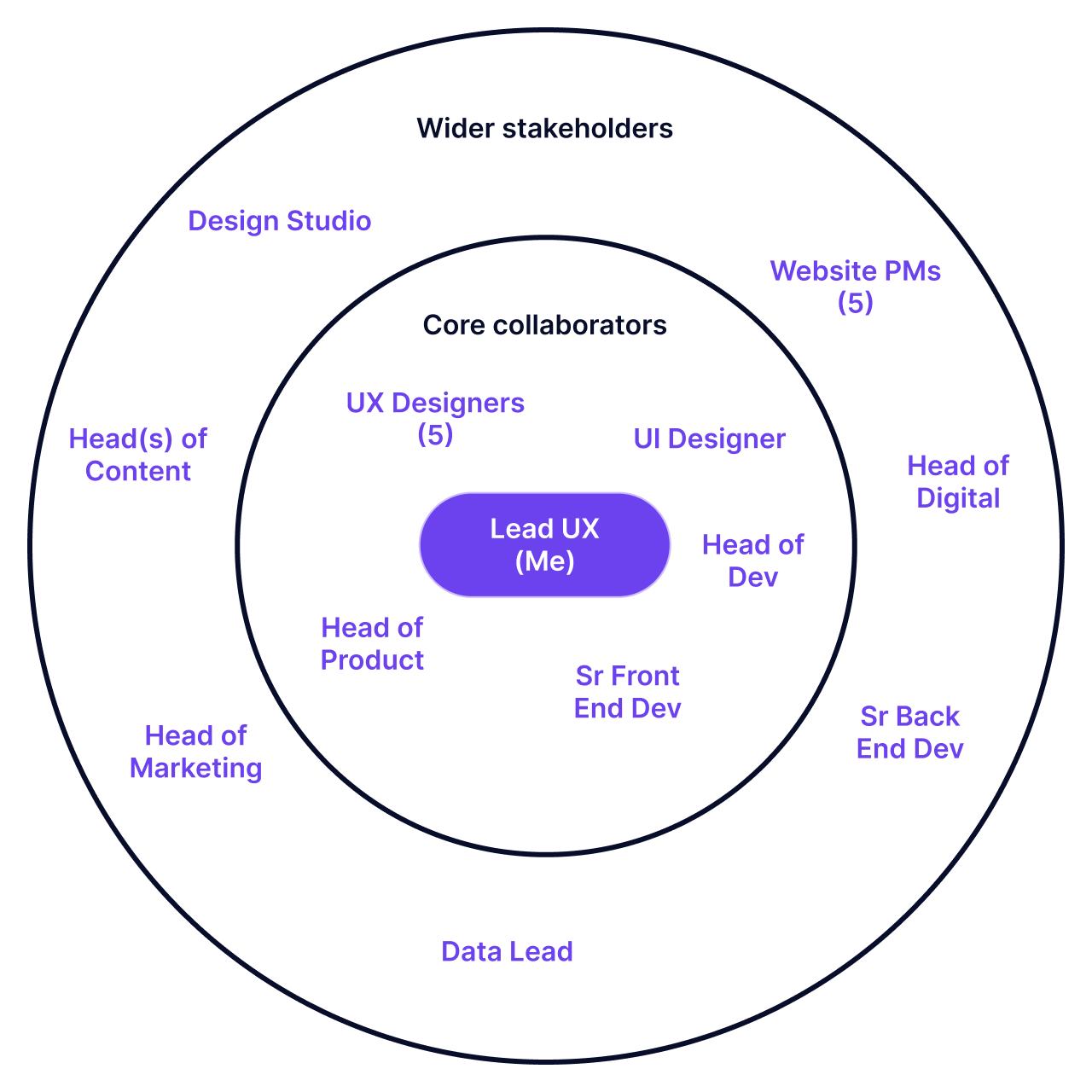
It was my job to work out what this looked like on the website, mobilising my new team to collaborate with the engineering and product teams.
Constraints
- Pentagram had delivered a new colour palette and typography, but neither had been sufficiently built for or tested in the context of the website and WCAG accessibility.
- Low developer capacity to significantly redesign the component set or make functionality changes.
- Lacked content team and product capacity to re-work content.
Opportunity
On joining the museum, I was baffled to find that the UX team did not have a design system or even a basic component library, so were designing from scratch each time they started a new project. This led to inconsistent handover to engineering.
So I negotiated that we scope in the building of a design system as part of the rebrand project.
My role
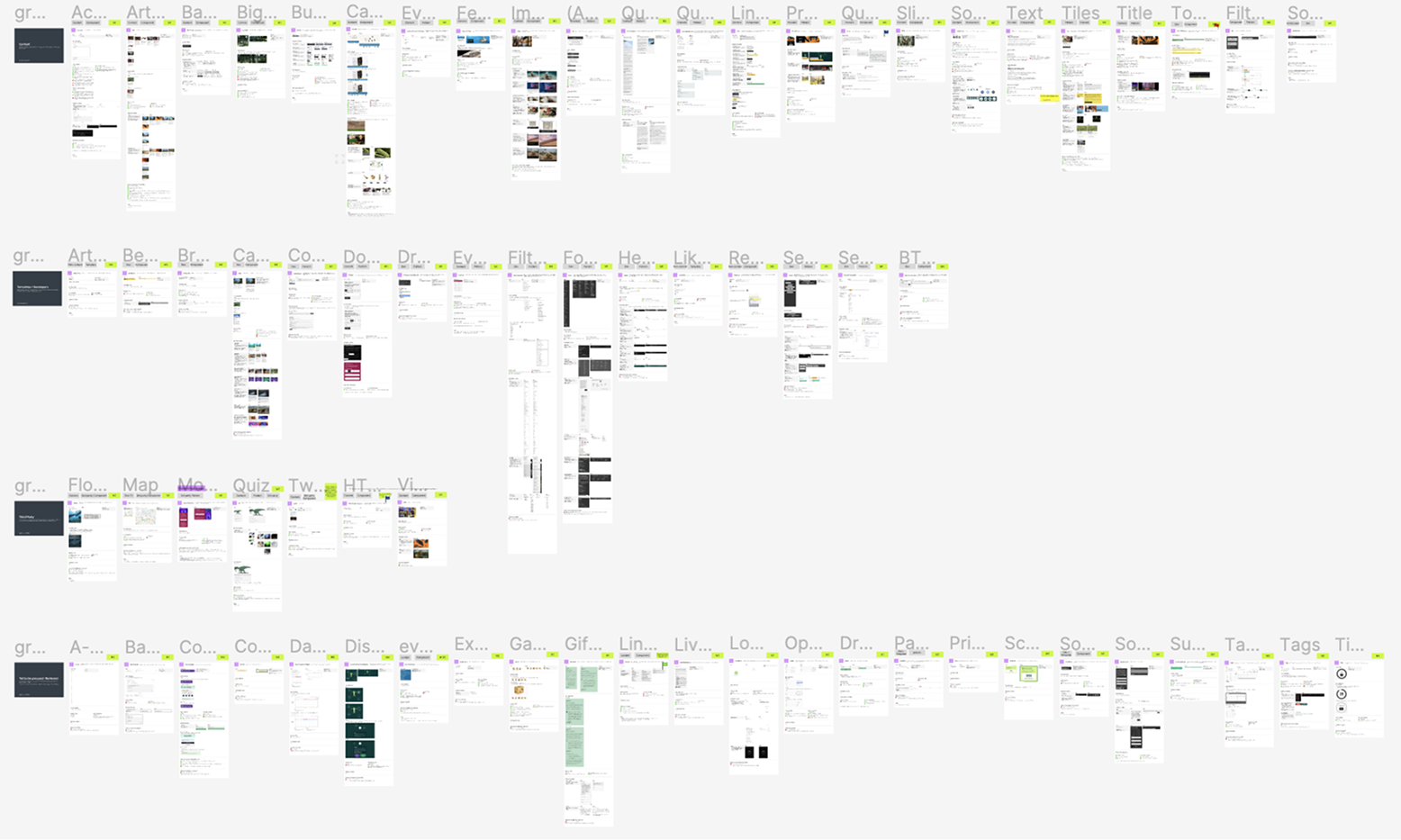
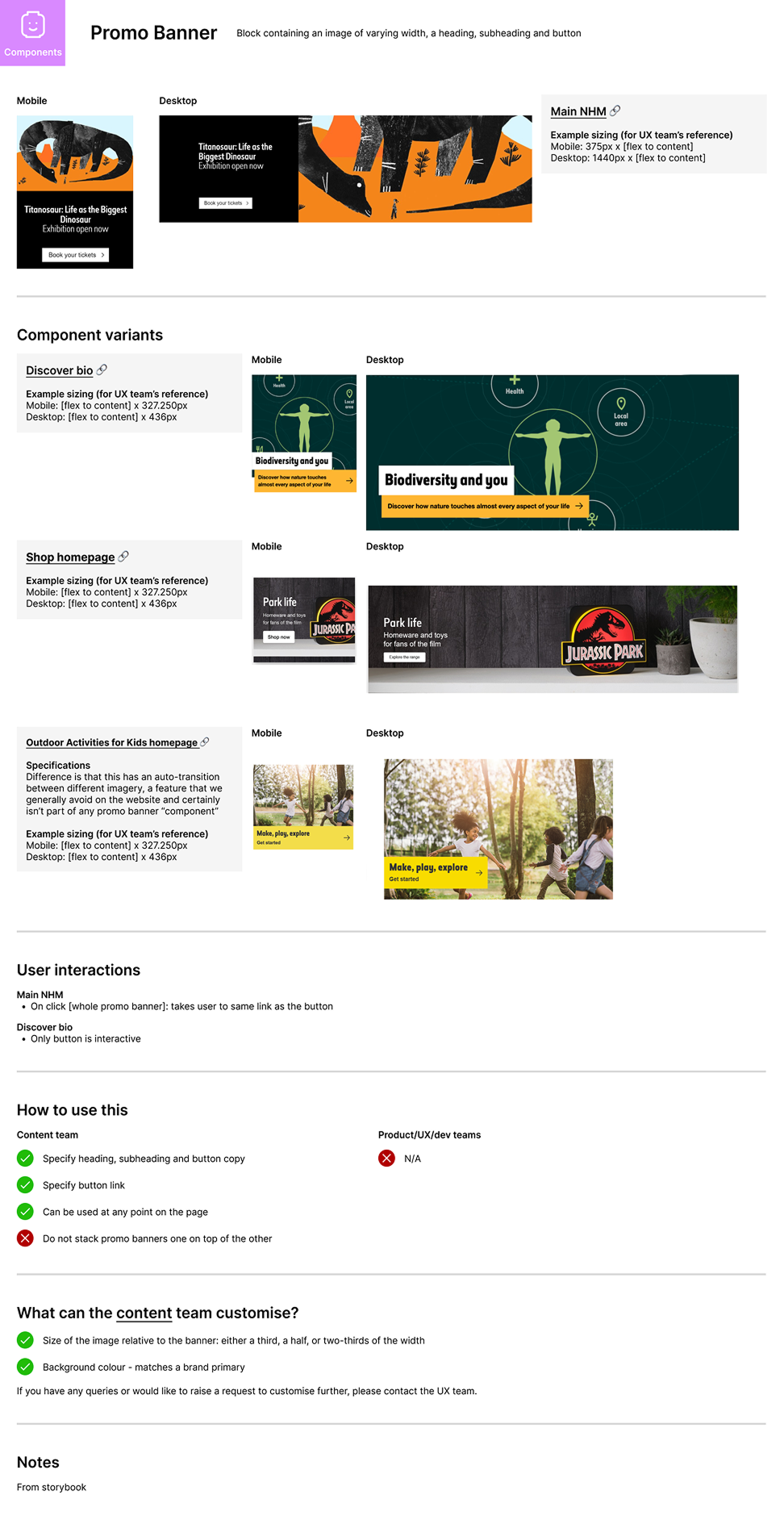
Mapping the current component set
I did a full audit of all components currently available in our Storybook in partnership with the Content team and Product Managers. Surprisingly, this had never been done before!
- Split and grouped components by classic Atomic Design principles
- Articulated component definitions, key use cases and edge cases
- Clarified today's unsaid rules for how to/not to use them
Establishing design system structure
After first experimenting with a classic atomic design system structure, I found this was too inconsistent with the content design team's ways of working and how the components were built.
So I found a middle ground inspired by elements of Gov.uk yet keeping the core of atomic systems and tailoring for our specifics.
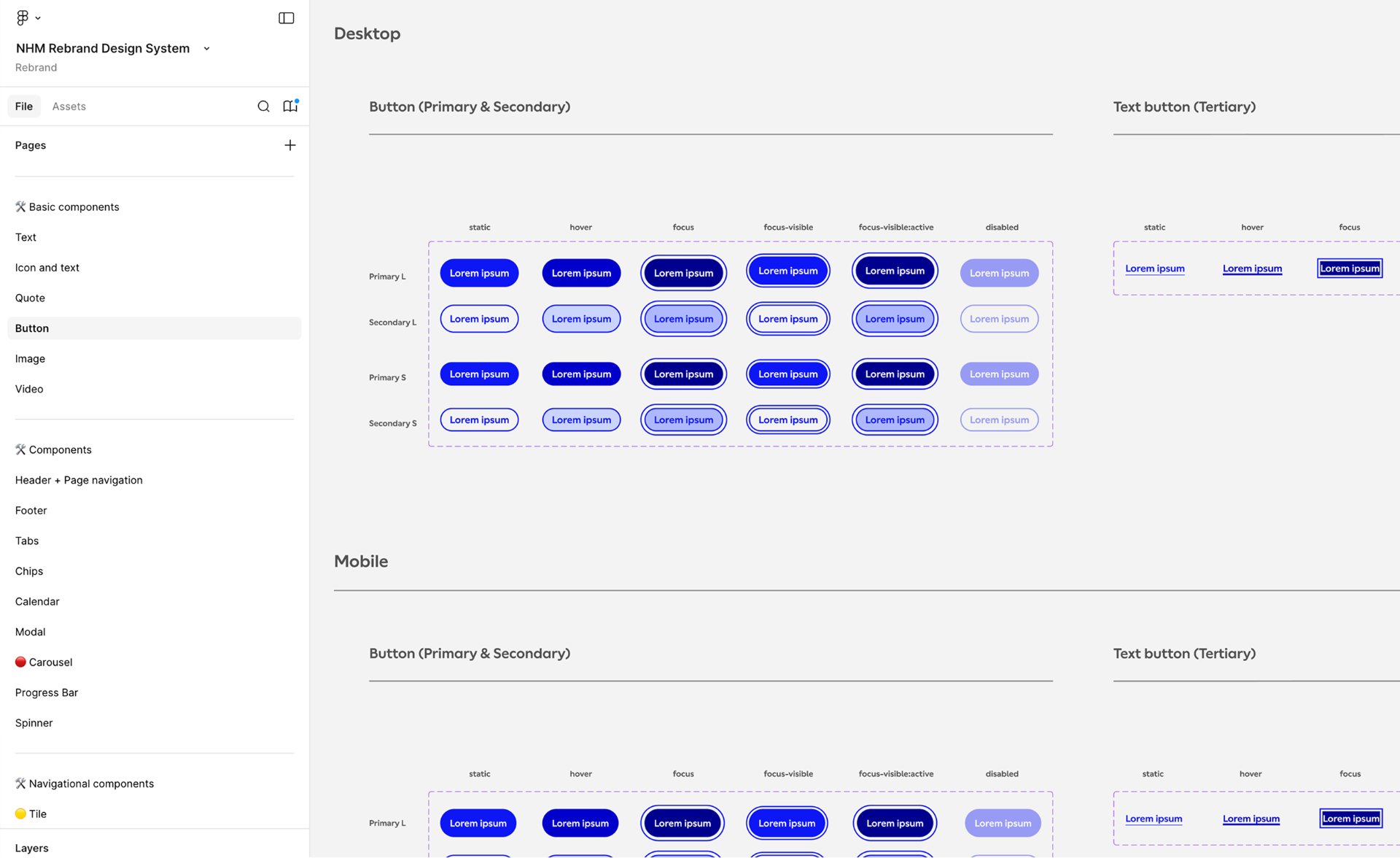
Fully editable components
- Basic content
- Text
- Title
- Button
- +4 more
- Interactive content
- Carousel
- Accordion
- Embed
- +5 more
- Navigational
- Tile
- Feed
- Promo banner
- +4 more
Templated components
- Header
- Footer
- Tag
- +16 more
Form components
- Text field
- Email address
- Toggle
- +42 more
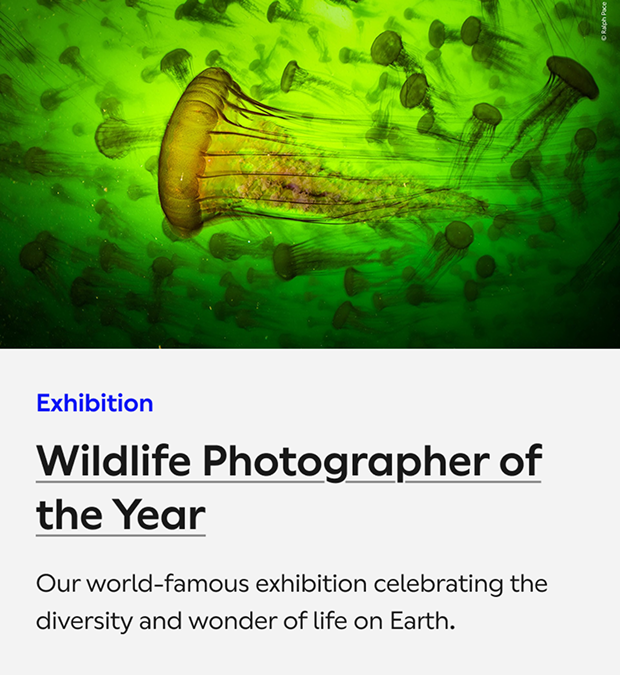
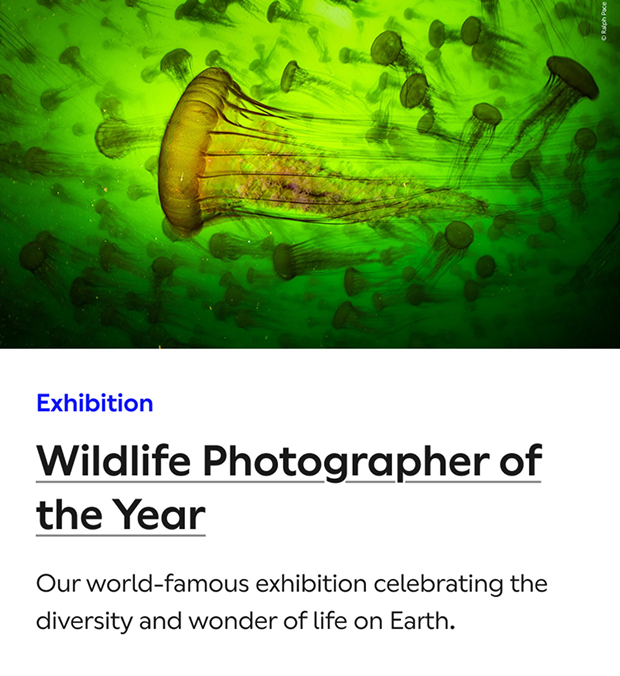
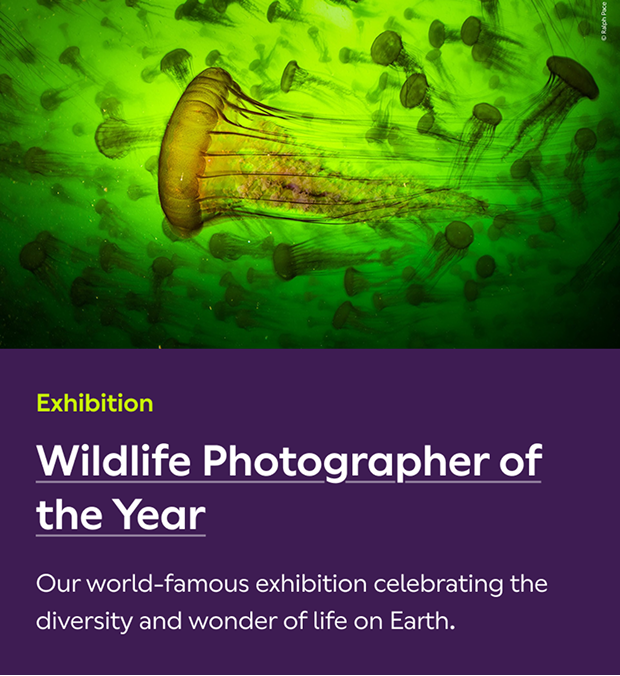
Building an accessible colour palette
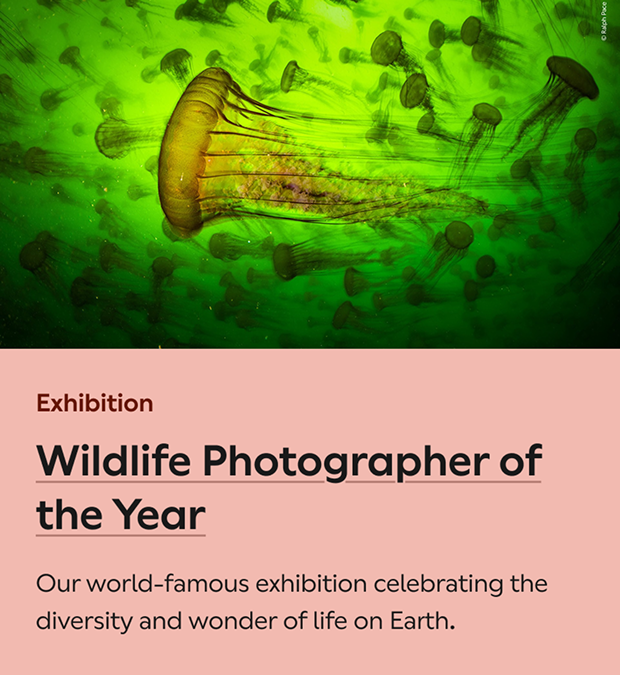
From the range of 21 base colours Pentagram provided, I worked closely with my UI designer to experiment with all colour combinations, testing on components and layouts to find palettes that:
- Passed WCAG AAA
- Worked in concert with basic text, accents, interactive elements and highlight backgrounds
- Reserved specific colours for our global system statuses and notifications
We emerged with 4 themes with supporting system colours:
Rebranding components
I ran working sessions with my UX designers to:
- Apply the new colour and typography themes to components
- Define our set of interactions to align with accessibility best practice
Writing component guidance
Our content team were one of the primary prospective users of this design system and they needed a base set of guidance for how to/not to use each component. Again, we got there collaboratively:
- Workshopped what they needed to know about each component to make content decisions
- Researched other open design system guidance portals like Gov.uk, Tesco and Material Design
- I or one of my UX designers wrote up the first draft of guidance
- Teamed up with 2 content designers/editors to iterate, test with real content and validate
Ongoing component redesign
After establishing the base-level design system as part of the rebrand, I established a design system review group with senior developers, a PM and UI designer.
I am leading them to review each component and redesign to improve user intuition and content efficiency, flexibility and consistency.
- Gathered all use cases, user and content pain points
- Researched best-in-class and ideated improvements
- Redesigned to address pains, well tested with real content
Impact
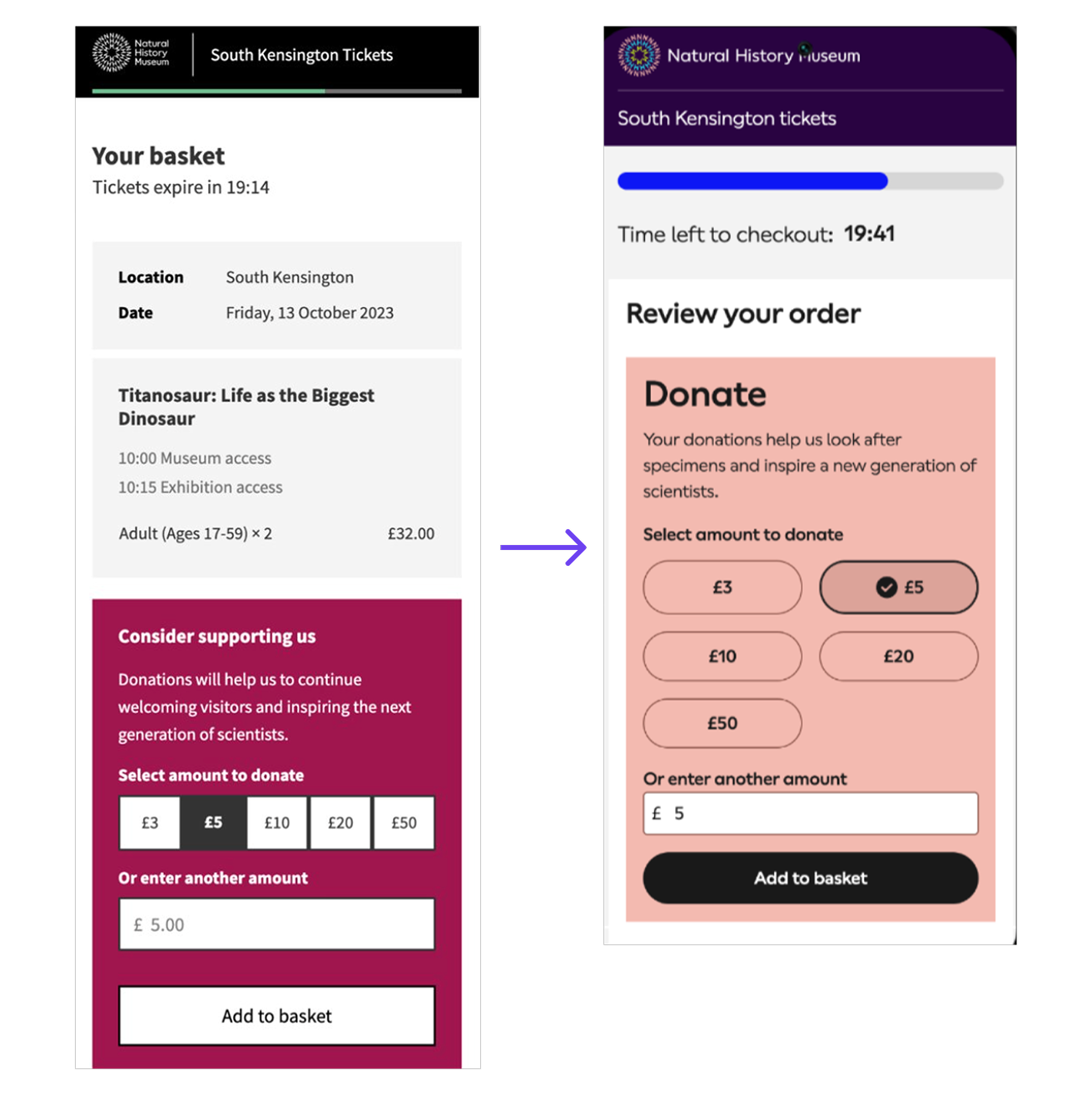
- Built the design system whilst delivering the website rebrand
- Increase in donations in the ticketing flow by making the component more intuitive and engaging
- Improving content design consistency
- Significantly smoothing collaboration and handover between UX, Content and Dev

Piqued your interest?
Get in touch
Whether you're looking for a new product design/UX team lead or you'd just like some advice on how to improve your conversion, drop me a line!